




Help us celebrate the launch!

We have LOVED reading your feedback on the app. In true ivee style, help us scream and shout about it on LinkedIn…

Two people in tweed and linen jackets laughing together against a dark navy backdrop
3 super easy steps

How it works

Three steps and should take no longer than 5 minutes.

  1. 1

    Pick a caption

    Choose one of our examples below, make it sound like you.

  2. 2

    Add a photo

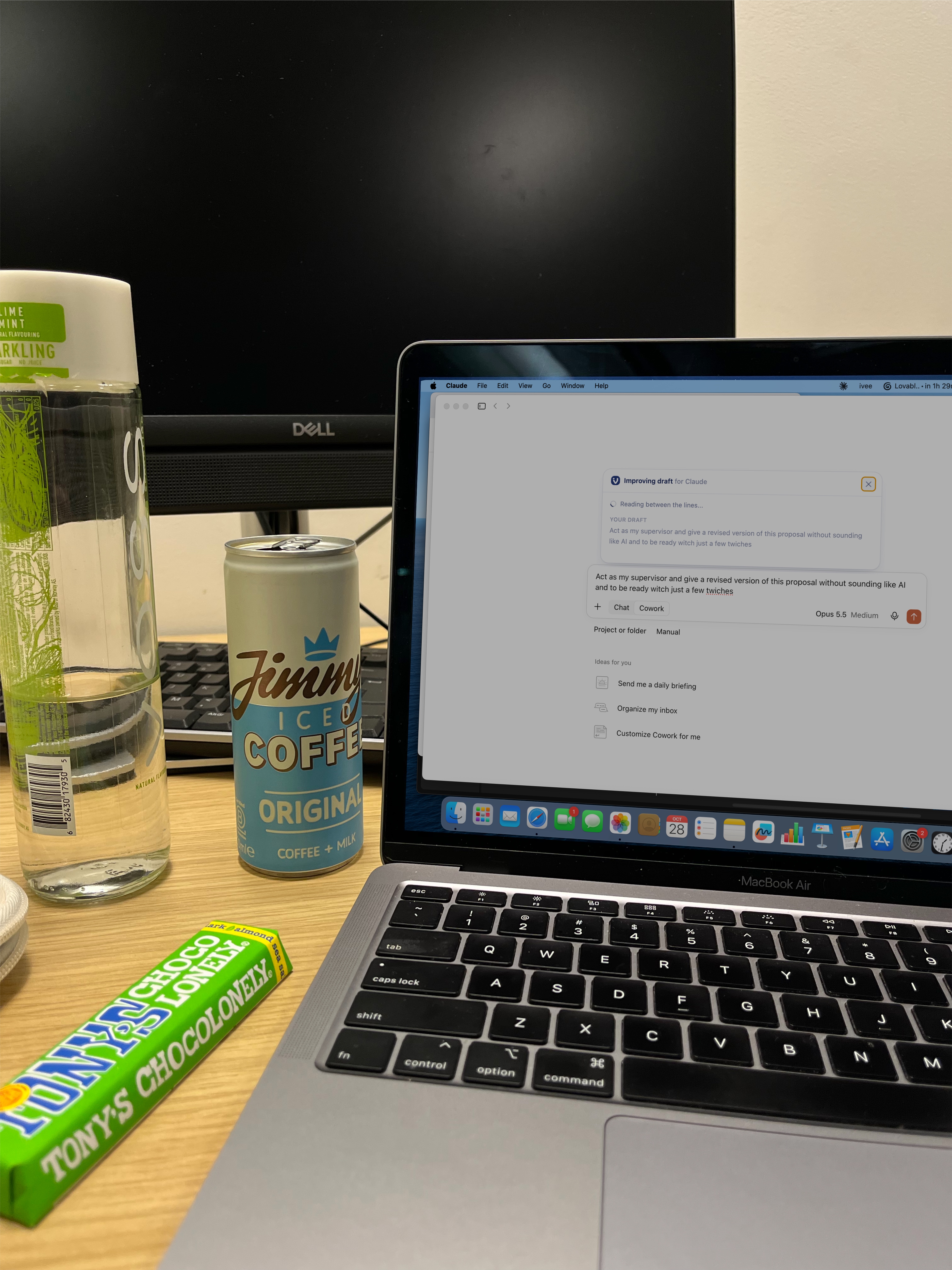
    Use your own (selfie or laptop shot) or steal one of ours.

  3. 3

    Post it & tag @ivee

    Whatever your preferred platform is (we won’t judge!). We say thank you with likes, comments and reshares.

The must-haves

  • 📸

    Your own photo

    Selfie or laptop shot. The cooler the background, the better.

  • 🏷️

    Tag @ivee

    So we can find it and repost.

  • 💡

    Say what it does

    One line on how ivee helps you prompt better.

1Step 1

A few examples to get you started

Copy, tweak, make it sound like you. Fill in the [highlighted bits] with your own words.

The tech stack angle

Meet my favourite new addition to my tech stack 👇 @ivee have finally released their brand new AI Learning App to every Mac user for free access but I've had a chance to beat you to it! I’ve been using ivee’s AI Learning App a lot recently & all I can say is how did I ever prompt without it. What the app does: - It works INSIDE the tools you already use (ChatGPT, Claude, Gemini, Copilot), so no extra tabs or logins - It picks the best prompting framework for what you're asking - It rewrites your original prompts to longer more contextual ones in a click of a button (which has been saving me so much time not having to go back and forth in the chat) 🙌 - A stats dashboard shows the time and tokens you've saved I’ve heard through the grapevine that automation suggestions are coming soon too 👀 My favourite feature so far: [what you love most + why] It's completely free. Mac users, grab it here: https://ivee.jobs/download-ivee-app (Windows users, join the waitlist on the same link.)

THE CONFESSION ANGLE

Confession: I use AI every day, and until recently my prompts were lazy 🫣 I know "Rewrite this email in a friendly tone” doesn’t cut it but I simply don’t have the time to write out a longggg prompt every time. So when I found @ivee's new AI Learning App I thought I struck GOLD DUST. How it works: I write my usual rushed prompt in ChatGPT, Claude, Gemini or Copilot, press one button, and ivee: - applies the best prompting framework for what I'm asking - rewrites my prompt to ensure that I reach my desired output first time - tracks the time and tokens I'm saving (for anyone a little nosey, I’ve saved [X] so far) The cherry on top is it lives exactly where I prompt AI every day. Well done team ivee 🥳 And it’s COMPLETELY FREEEEE Grab your access here: https://ivee.jobs/download-ivee-app (Mac only at the moment, launching to Windows soon but you can still join the waitlist with the above link!)

AI tools that actually stuck

If your feed is anything like mine, it’s FLOODED with thousands of AI tools launching every week. Only a few have stuck in my workflow: - [Tool 1] for [use] - [Tool 2] for [use] - [Tool 3] for [use] Now there's a new one on the list: @ivee’s AI Learning App. It’s not like any other AI tool where you need to try and remember to use it everyday. Ivee’s AI Learning App sits INSIDE the tools you’re already using! Last week we launched the ivee AI Learning App. It’s a prompt improver that lives inside ALL your AI tools, wherever you prompt. Last week, I downloaded ivee’s new AI Learning App and all I can say is how did I ever prompt without it. What the app does: > It works INSIDE the tools you already use (ChatGPT, Claude, Gemini, Copilot) - no extra tabs open or an extra login to remember! > It rewrites your original prompts to longer more contextual ones in a click of a button (which has been saving me so much time not having to go back and forth in the chat) > There's a stats dashboard which is where you can see the total amount of time and tokens saved so far (insaneee!) plus a bunch of other cool stats about your current AI usage. > Soon it'll provide both model suggestions (so you're not burning tokens on insanely expensive models) AND automation builds (with step-by-step instructions) to help clear those boring tasks off your plate Well done team ivee 🥳 It’s COMPLETELY FREEEEE. Grab your access here: https://ivee.jobs/download-ivee-app (Mac only at the moment, launching to Windows soon but you can still join the waitlist with the above link!)

The role-specific angle

As a [your role], I spend most of my day [main task, e.g. writing proposals / creating content / analysing data]. AI should make that faster, but I was often spending a lot of time going back and forth with it trying to get it to understand what I needed it to do. It’s come to my attention that the missing piece of the puzzle was the prompt I was giving it. @ivee's new AI Learning App has come to the rescue! If you’re unfamiliar with it, ivee have recently launched their brand new AI Learning App to all Mac users. It lives inside any AI tool that you prompt, think ChatGPT, Claude, Gemini and Copilot. In one click it: - matches my request to the best prompting framework - rewrites my prompt so the AI understands what I need - shows how much time and how many tokens I've saved using the ivee improved prompts My favourite use so far: [specific example, e.g. "turning a one-line brief into a full content plan"] It’s completely free for Mac users so get your hands on it here: https://ivee.jobs/download-ivee-app (Windows users, you can join the waitlist on the same link.)

2Step 2

Photo ideas

Don’t have a photo? Steal one of ours below.

ivee photo 2
Save
ivee photo 3
Save
Two ivee team members pointing at a laptop that shows the ivee app
we would LOVE to see you!
An ivee team member at a cafe table pointing at a laptop that shows the ivee app
because as you can see, we love taking pics with our screens
3Step 3

Post it & tag @ivee

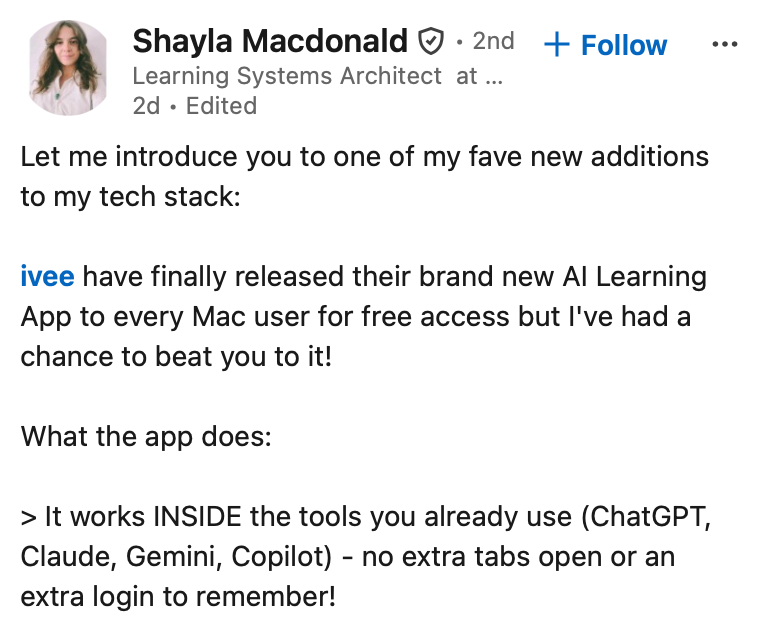
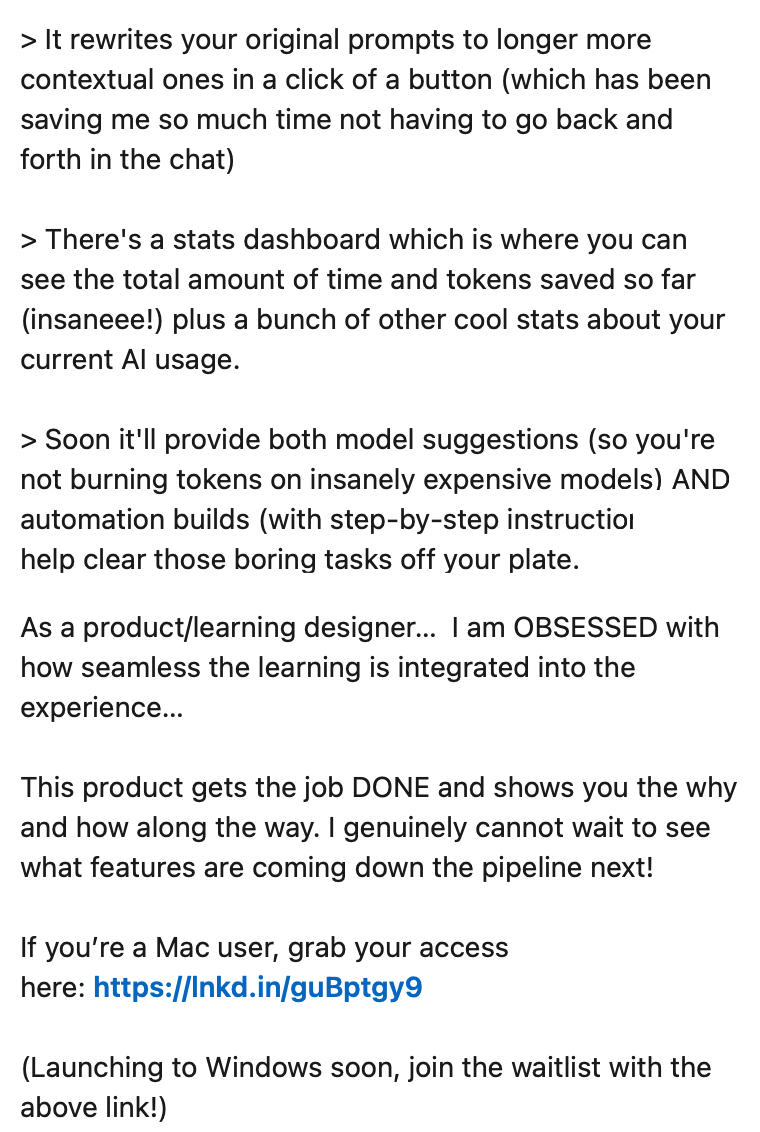
Tag us and we will pile in with likes, comments and reshares. Here is what that looks like.

Justin's post
Justin's LinkedIn post about ivee
Shayla's post
Shayla's LinkedIn post about ivee
Shayla's post photo and reactions

Posted it? You legend.

Send us the live link and we'll come shower it in comments.